August 22, 2026
Open WebUI with Ollama on Docker Swarm: The Stack File, Step by Step
Run Open WebUI and Ollama as a Docker Swarm stack: the stack file, GPU placement, persistent models and chats, a reverse proxy in front, and how to keep the UI on CPU nodes while the model runs where the GPU is.
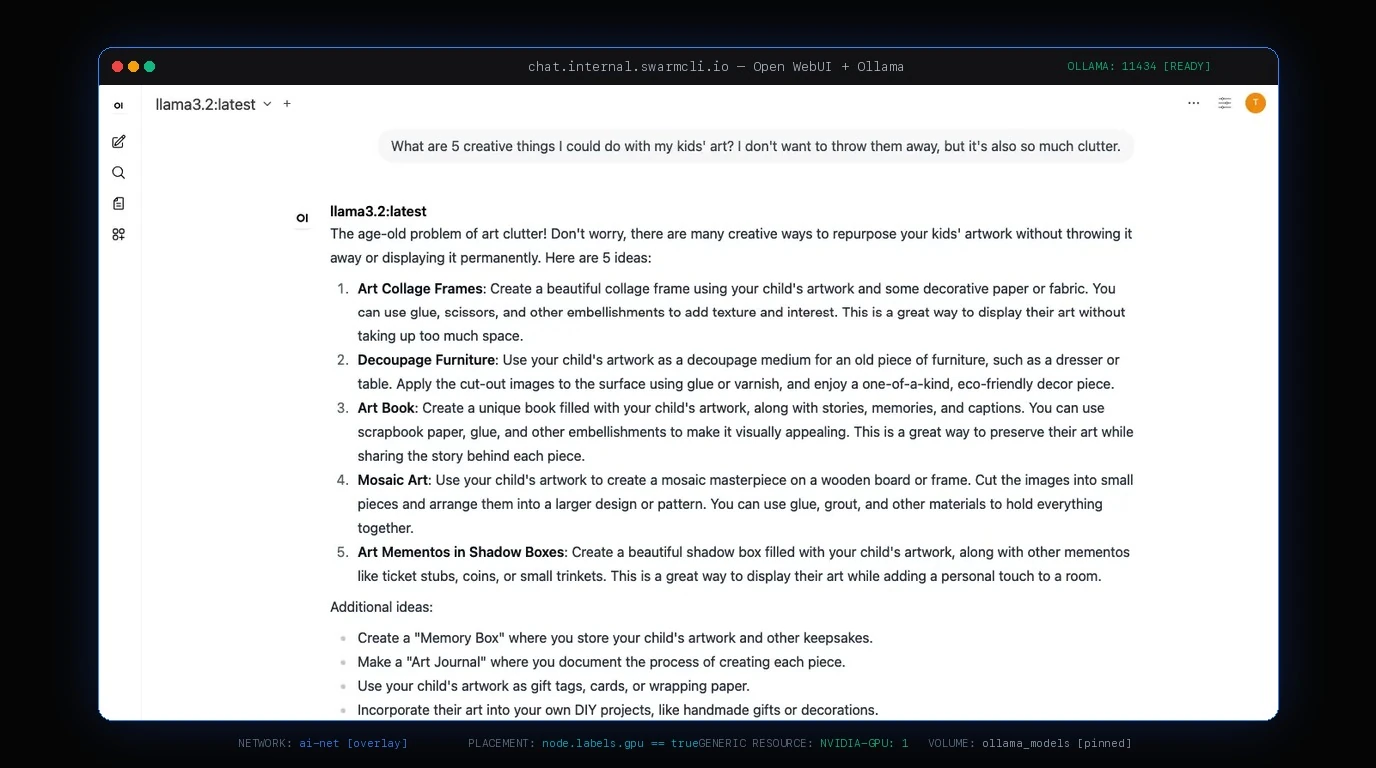
Open WebUI is the chat interface most people put in front of Ollama, and the two run well as one Docker Swarm stack: Ollama pinned to the node with the GPU, the UI anywhere, both on an overlay network, and a reverse proxy in front. This is the stack file we run, with the reasons for each line. The broader picture, vLLM included, is in local AI models on Docker Swarm; the GPU scheduling itself is in GPUs on Docker Swarm.
Prerequisites
- A swarm with at least one node that has an NVIDIA GPU, the NVIDIA Container Toolkit installed,
nvidiaas the default runtime, and the GPU advertised indaemon.jsonas a generic resource. The GPU guide covers those four steps and how to verify them. - A node label on the GPU node:
docker node update --label-add gpu=true <node>. - A node label for the UI's data:
docker node update --label-add webui=true <node>. Any node; it just has to be the same node every time, because the volume lives there. - A secret for the UI's session key:
openssl rand -hex 32 | docker secret create webui_secret -.
CPU-only? Everything below works without the GPU lines; Ollama will run models on the CPU, slowly.
The stack file
services:
  ollama:
    image: ollama/ollama:latest
    deploy:
      replicas: 1
      placement:
        constraints:
          - node.labels.gpu == true
      resources:
        reservations:
          generic_resources:
            - discrete_resource_spec:
                kind: 'NVIDIA-GPU'
                value: 1
        limits:
          memory: 24G
      restart_policy:
        condition: on-failure
    environment:
      OLLAMA_KEEP_ALIVE: 24h
    volumes:
      - ollama_models:/root/.ollama
    networks:
      - ai-net

  open-webui:
    image: ghcr.io/open-webui/open-webui:main
    deploy:
      replicas: 1
      placement:
        constraints:
          - node.labels.webui == true
      resources:
        limits:
          memory: 2G
      update_config:
        order: start-first
        failure_action: rollback
      labels:
        - traefik.enable=true
        - traefik.http.routers.webui.rule=Host(`chat.example.com`)
        - traefik.http.routers.webui.entrypoints=websecure
        - traefik.http.routers.webui.tls.certresolver=letsencrypt
        - traefik.http.services.webui.loadbalancer.server.port=8080
    environment:
      OLLAMA_BASE_URL: http://ollama:11434
      WEBUI_SECRET_KEY_FILE: /run/secrets/webui_secret
      ENABLE_SIGNUP: 'false'
    secrets:
      - webui_secret
    volumes:
      - webui_data:/app/backend/data
    networks:
      - ai-net
      - traefik-public

volumes:
  ollama_models:
  webui_data:

networks:
  ai-net:
    driver: overlay
    attachable: true
  traefik-public:
    external: true

secrets:
  webui_secret:
    external: true
docker stack deploy -c ai-stack.yml ai
Why each part is the way it is
Ollama has no published port. Open WebUI reaches it as http://ollama:11434 over ai-net; Swarm's DNS resolves the service name. Publishing 11434 would expose an unauthenticated model server on every node through the routing mesh, which nobody wants.
Ollama is pinned and reserves the GPU. The constraint keeps it on the GPU node; the generic-resource reservation is what makes the scheduler count the GPU and the runtime expose it. OLLAMA_KEEP_ALIVE=24h keeps the model loaded between chats instead of reloading it after five minutes of silence, which is the difference between a two-second and a forty-second first reply. The memory limit is for the host's sake: a model that does not fit in VRAM spills into RAM.
The models volume is local to that node. Ten to sixty gigabytes of weights belong on the GPU node's disk. If you replace that node, pull the models again; do not try to make the volume follow.
Open WebUI is pinned too, for its data. Users, chats, settings and uploaded documents live in /app/backend/data. That volume is on the webui node and stays there. The UI itself is light, so any node works, and keeping it off the GPU node means a model load never competes with the interface.
start-first on the UI. A new Open WebUI task comes up before the old one stops, so an image update is invisible. Ollama gets the default stop-first, because two Ollama tasks would need two GPUs.
The session key is a secret, read through WEBUI_SECRET_KEY_FILE. Without a stable key, every restart logs everyone out. ENABLE_SIGNUP: 'false' after you have created the first admin account, unless you want the internet creating accounts.
Traefik terminates TLS. The labels sit under deploy.labels, which is where Swarm reads them; the UI joins the proxy's external network as well as its own. Any reverse proxy works; the point is that the only published ports on the swarm are the proxy's 80 and 443.
First run
- Watch the tasks come up:
docker stack ps ai --no-trunc, or open the stack in SwarmCLI and watch both tasks reach Running. Ollama's first start on a fresh volume is quick; the models come next. - Pull a model into Ollama from inside its task:
docker exec $(docker ps -q -f name=ai_ollama) ollama pull llama3.1:8b. Or do it from the Open WebUI admin settings under Models, which talks to the same Ollama. - Open
https://chat.example.com, create the admin account, then setENABLE_SIGNUPtofalseand redeploy. - Send a message, then check the model landed on the GPU:
docker exec $(docker ps -q -f name=ai_ollama) ollama psshould show100% GPUin the processor column.100% CPUon a GPU node means the runtime did not expose the device; the GPU guide's troubleshooting table has the causes.
Adding a second model server
A second GPU node gets the same label and its own advertised resource, and a second Ollama service (ollama-b, pinned with its own constraint and volume). Open WebUI accepts several Ollama endpoints separated by semicolons in OLLAMA_BASE_URLS, and load-balances chats between them. Each keeps its own models, so pull the same ones on both or accept that a model lives on one.
Backups
webui_data is the thing you cannot recreate: chats, users, documents. Back it up on a schedule from the node it lives on, the way the HA database guide describes for any pinned volume. ollama_models is a cache; a pull recreates it.
Common concerns, answered
How do I connect Open WebUI to Ollama on Docker Swarm? Put both services on the same overlay network and set OLLAMA_BASE_URL=http://ollama:11434 on the Open WebUI service. Swarm DNS resolves the service name, so no IP address and no published Ollama port are needed.
Where does Open WebUI store its data on Docker Swarm? In /app/backend/data inside the container: users, chats, settings and uploaded documents. Mount a named volume there and pin the service to one node with a placement constraint, because a Swarm volume does not follow a task to another node.
Can Open WebUI and Ollama run on different nodes in a swarm? Yes, and they should: Ollama on the GPU node with a generic-resource reservation, Open WebUI on any CPU node. They talk over the overlay network by service name.
What this gives you
A private chat interface with a model that never leaves your hardware, an update path that does not interrupt a conversation, and a swarm where the GPU is a scheduled resource rather than a hostname someone remembers. From here, the self-hosting stack shows what else fits beside it, and the best-practices checklist is the list to run through before you hand the URL to anyone else.