June 25, 2026
Helm for Docker Swarm: Managing Stacks with SwarmCLI Charts
Finally, a package manager experience for Docker Swarm - add a repo, install a chart, override what you need.
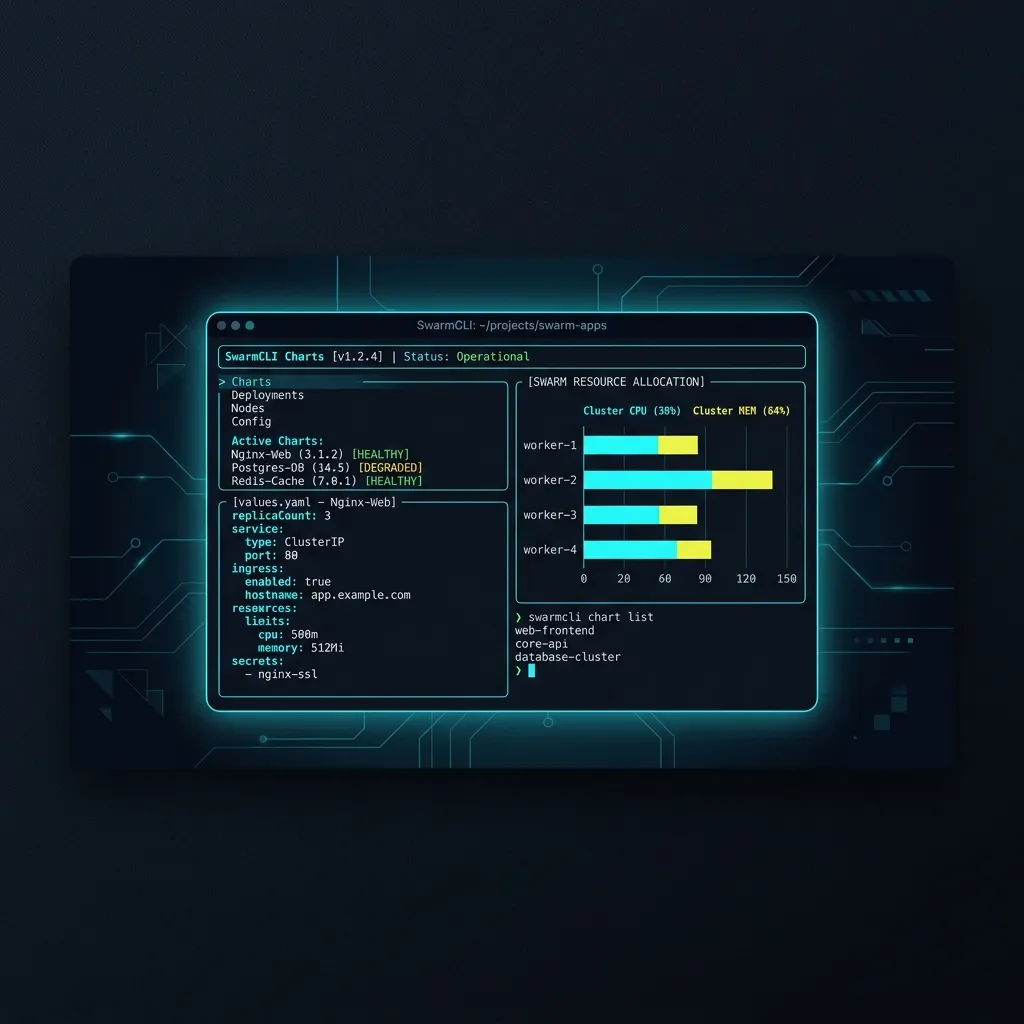
If you run Docker Swarm in production, you've probably hit the same wall every Swarm operator eventually hits: there is no standard way to install, version, or share a service stack configuration.
You have your docker-compose.yml files, maybe a pile of .env files, some hand-written deployment notes, and a lot of institutional knowledge living in someone's head.
Kubernetes solved this years ago with Helm. Docker Swarm never got an equivalent - until now.
SwarmCLI Charts brings Helm-style packaging to Docker Swarm, built on top of SwarmCLI - the k9s-inspired TUI/CLI for managing Swarm clusters. If you've used Helm before, the mental model will feel immediately familiar: add a repository, search for charts, install with value overrides, upgrade, and uninstall.
Adding a Chart Repository
The first step is adding the community chart repository:
swarmcli charts repo add swarmcli-charts https://eldara-tech.github.io/swarmcli-charts
swarmcli charts repo update
You can add multiple repositories and reference charts by their repo prefix.
[!NOTE] How the Chart Index Works The index lives at /swarmcli-charts/index.yaml - a versioned catalog of all available charts with metadata and checksummed download URLs.
Finding & Installing Charts
To find available charts across all configured repositories, run:
swarmcli charts search
This lists all charts. You can also search by a specific keyword:
swarmcli charts search cronjob
Installing a Chart
The install command takes a release name and a <repo>/<chart> reference:
swarmcli charts install whoami swarmcli-charts/whoami
This deploys the whoami chart from the swarmcli-charts repository with its default values. The release name (whoami here) becomes the Docker Swarm stack name.
Overriding Values
Every chart ships with a values.yaml that defines sensible defaults. You override individual values on the command line with --set:
swarmcli charts install whoami swarmcli-charts/whoami \
  --set ingress.host=whoami.mycompany.com \
  --set replicas=3
For more complex configurations, supply a values file with -f:
swarmcli charts install whoami swarmcli-charts/whoami -f my-values.yaml
Your my-values.yaml only needs to contain the keys you want to change - the chart's defaults fill in everything else:
# my-values.yaml
ingress:
  host: whoami.mycompany.com
replicas: 3
You can combine both approaches. Multiple -f flags and --set overrides are merged in order, with later values winning:
swarmcli charts install whoami swarmcli-charts/whoami \
  -f base-values.yaml \
  -f prod-overrides.yaml \
  --set replicas=5
Installing a Specific Version
By default, install pulls the latest chart version. To pin to a specific release:
swarmcli charts install whoami swarmcli-charts/whoami --version 0.2.0
[!TIP] Chart versions follow plain SemVer (e.g.,
0.2.0, notv0.2.0).
Inspecting a Chart Before Installing
Before deploying, you can render the chart locally to see the exact Docker Swarm stack YAML that would be applied - without touching the cluster:
swarmcli charts template whoami swarmcli-charts/whoami \
  --set ingress.host=whoami.mycompany.com
This is equivalent to helm template - useful for auditing what you're about to deploy or feeding the output into your own diff tooling.
Currently Available Community Charts
The repository currently ships two production-ready charts:
1. whoami
Traefik's HTTP echo service (traefik/whoami). It returns request headers, IP, and hostname. Primarily useful for:
- Testing Traefik ingress routing and label configurations.
- Verifying your overlay network topology is working correctly.
- A minimal smoke test for a freshly deployed Swarm cluster.
swarmcli charts install whoami swarmcli-charts/whoami \
  --set ingress.host=whoami.yourdomain.com
2. swarm-cronjob
Crazy-max's swarm-cronjob - a label-driven cron job scheduler for Docker Swarm. It watches your cluster for Swarm services annotated with specific labels and triggers them on a schedule, filling the gap that Kubernetes CronJob covers but Docker Swarm lacks natively.
Once deployed, you schedule a job by annotating any Swarm service:
services:
  my-job:
    image: my-org/my-task:latest
    deploy:
      labels:
        - 'swarm.cronjob.enable=true'
        - 'swarm.cronjob.schedule=0 2 * * *'
        - 'swarm.cronjob.skip-running=true'
      restart_policy:
        condition: none
Installing it via the chart:
swarmcli charts install swarm-cronjob swarmcli-charts/swarm-cronjob
[!WARNING] Privileged Socket Access
swarm-cronjobrequires access to the Docker socket to schedule jobs. The chart documents this transparently - you'll see it declared in the chart metadata as an acknowledged security requirement rather than something hidden in the stack YAML.
External Resource Pre-flight with requirements.yaml
One of the most powerful features of SwarmCLI Charts is how it handles external Swarm resources - overlay networks, secrets, and configs that must exist on the cluster before a stack can be deployed.
In Kubernetes, Helm charts often expect resources to be pre-created, but when they are missing, the deployment simply hangs or crash-loops. Raw docker stack deploy behaves similarly, producing a cryptic Swarm error mid-deployment and leaving you to figure out which external resource is missing.
SwarmCLI Charts introduces a structured requirements.yaml file inside the chart bundle. Here is how a chart defines external network and secret dependencies:
# requirements.yaml
networks:
  - name: traefik-public
    external: true
    autoCreate: false # Do not auto-create; must be pre-provisioned
  - name: app-internal
    external: false
    autoCreate: true # Automatically create if not found

secrets:
  - name: database-root-password
    external: true
When you run install, SwarmCLI pre-flights the cluster against the requirements.yaml specification before applying any changes. If a required resource is missing, the deployment is halted and you get a clear, actionable error:
Error: external network "traefik-public" not found on cluster.
Create it with: docker network create --driver overlay --attachable traefik-public
[!IMPORTANT] Fail-Fast Deployments This pre-flight validation guarantees that your stack will never be partially deployed in a broken state due to missing cluster-level resources.
Upgrading and Uninstalling
Once a chart is installed, upgrading to a new version or with new values follows the same pattern:
# Upgrade to the latest chart version
swarmcli charts upgrade whoami swarmcli-charts/whoami

# Upgrade with updated values
swarmcli charts upgrade whoami swarmcli-charts/whoami \
  --set replicas=5

# Pin to a specific version during upgrade
swarmcli charts upgrade whoami swarmcli-charts/whoami --version 0.3.0
Uninstalling removes the Swarm stack completely:
swarmcli charts uninstall whoami
The Bigger Picture
Docker Swarm is not going away. There are thousands of teams running serious production workloads on Swarm - it's simpler to operate than Kubernetes, has clean networking primitives, and integrates naturally with Docker Compose-based workflows.
What Swarm has always lacked is an ecosystem: a standardized, versioned, reproducible way to deploy community-maintained service configurations.
SwarmCLI Charts is an early but serious attempt to build that ecosystem. The charts on the roadmap - Traefik, the Prometheus/Grafana observability stack, Patroni for HA Postgres - are the components most Swarm operators end up deploying anyway. Having those as one-command installs with well-tested defaults and sensible value overrides changes the operational experience considerably.
If you're running Docker Swarm and tired of maintaining bespoke stack files for every service, it's worth adding the repo and taking a look.